A better beginning
Guests choose from real availability, review your booking policy and receive a management link for supported changes.
Reservations, your room and the details that make a guest feel welcome. Connected in one calm workspace.
One considered workspace for the moving parts of a restaurant. And the people who make it feel like one.
From the first booking to the last welcome. See your arrivals, make changes and give every member of the team the same clear picture.
Take a closer look Actual application screens · synthetic demo data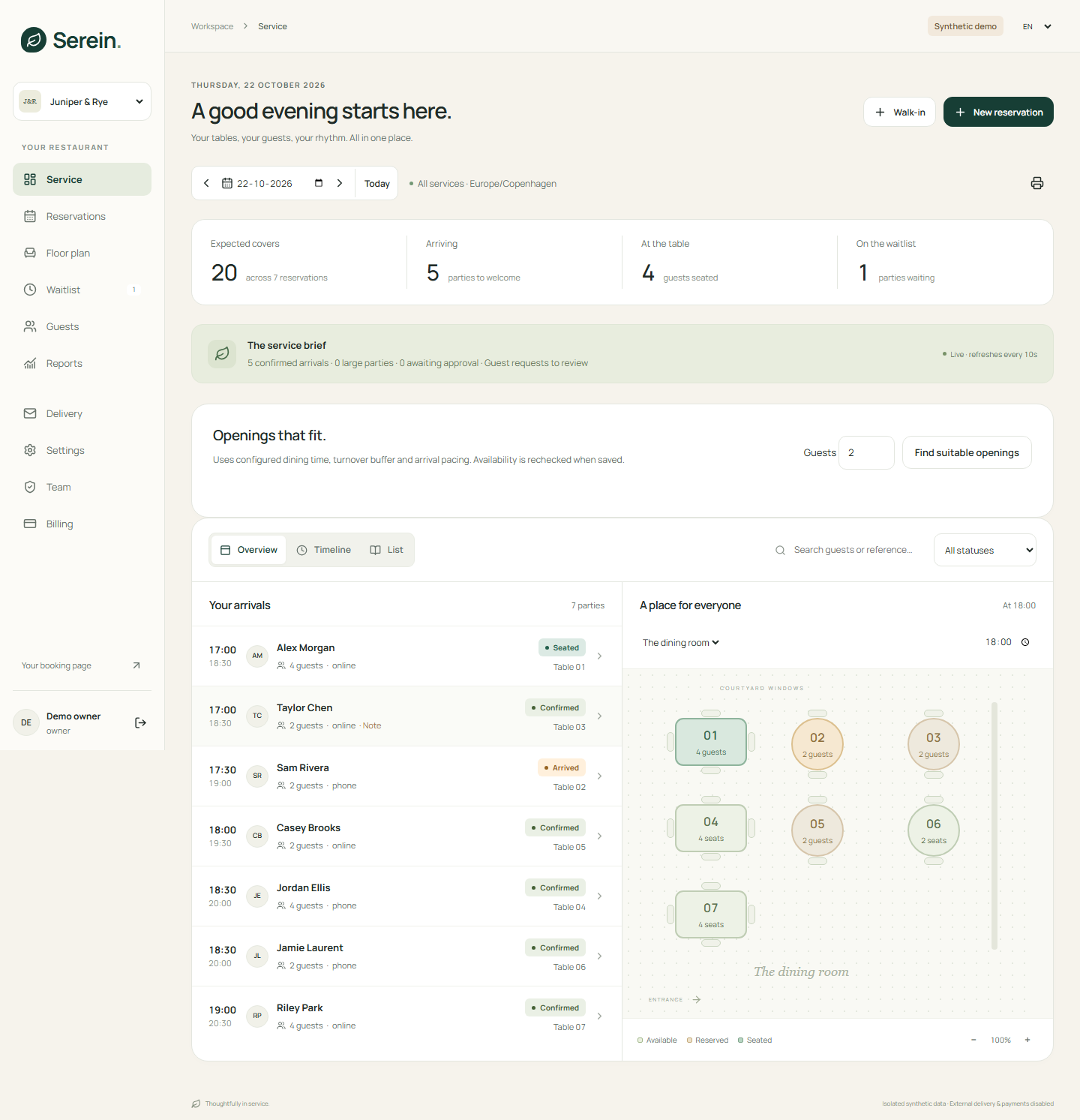
Guests choose from real availability, review your booking policy and receive a management link for supported changes.
Build a visual floor plan, combine physical tables and plan around durations and reset buffers.
Keep restaurant-specific guest history and useful notes, and make a considered offer from the waitlist.
Staff roles control access. Protected guest links and database table-allocation rules support dependable operations.
Set your restaurant name, logo, cover, services and booking policies. Share a direct link or embed the booking view on your existing website.
Try a guest bookingYes. The isolated demo lets you explore the staff workspace and guest booking with synthetic restaurant data. It runs without a Supabase, Stripe or Resend account. Live email and payment actions are disabled in the demo.
Yes. A restaurant has a public booking page and an embeddable view. Configure your restaurant’s services, availability and policies in the workspace. Embedding on your domain also requires the deployment’s allowed-origin configuration.
Yes. Add them from the service workspace and assign real tables. Online bookings, phone reservations and walk-ins use the same physical-table availability checks.
The import tool accepts a supported reservation CSV, checks it in a dry run and reports conflicts before applying it. Review the expected columns in the workspace and try a synthetic sample first.
Production hosting, configured Supabase authentication and storage, a verified email sender and any required Stripe accounts. Company details, final legal documents, provider checks and remaining release verification must also be completed. See the legal centre and project launch checklist.
Take a look around. Try a booking. Picture your next service.
Step inside the demoOr experience the guest booking